Want to create engaging course videos without spending hours editing? Google’s AI tools make it possible to create quick videos right inside your NC State Google Workspace. NotebookLM can now generate short videos from your uploaded course content, and Google Vids helps you turn ideas or slides into polished video explainers. Both are available in our campus Google Workspace—no extra license required. Check out this NotebookLM generated example (find the video in the right sidebar Studio panel) and this Google Vid created from a Google Slideshow about DELTA services.
Why Quick AI-Generated Videos?
- Time-saver: Skip the heavy editing—AI helps with structure, clarity, and production.
- Flexibility: Use them for weekly announcements, assignment clarifications, exam tips, or short explainer videos.
- Student Impact: Short videos are easier to watch, retain, and revisit than long recordings.
NC State Google Tools for AI-Generated Videos
NotebookLM “Studio”
NotebookLM lets you upload course materials (lecture notes, readings, slides, or even YouTube transcripts) and then generate various resources for students in the Studio — including videos and podcasts which can be downloaded and shared via Panopto.
Use Cases:
- Upload a lecture transcript → Create a review video before a quiz.
- Upload course notes → Generate a topic explainer and post it in your Moodle announcements.
- Upload course lecture notes and course objectives → Tell NotebookLM about gaps in student learning based on formative assessment → Offer guidance for what students should study in a short video and post it to Moodle announcements.
- Explore more in our DELTA NotebookLM Guide and in the recording from our recent NotebookLM Workshop.
Google Vids
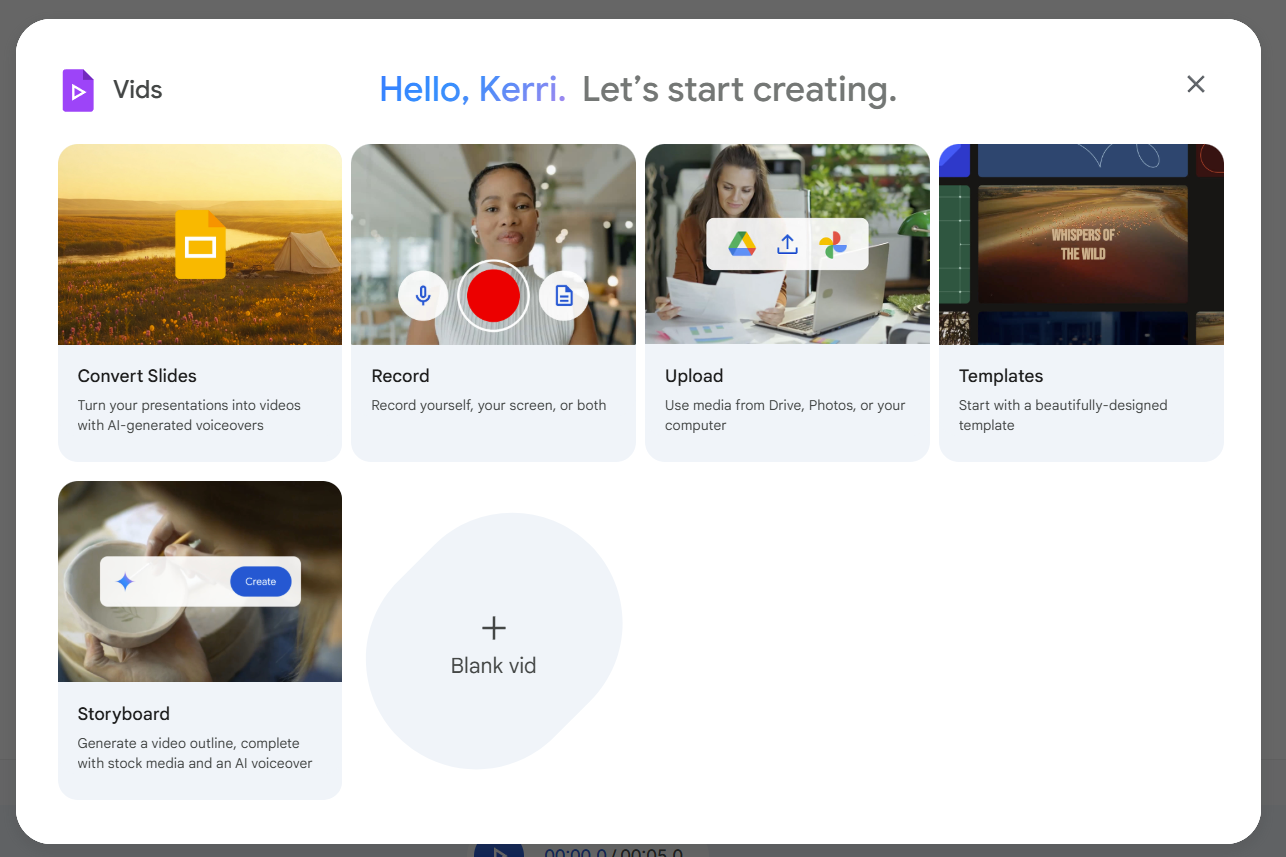
Google Vids (accessed as part of Google Workspace for Education) is a simple way to turn slides or text prompts into short narrated videos. It automatically provides transitions, layouts, and even AI-generated voiceover. Specifically, the “Convert Slides” feature can assist in making short videos quickly if your slides are thorough – although the notes/script is easy to edit within the video creator. The “Templates” and “Storyboard” features are also useful in creating “Quick Vids.” Use Google Sharing to share videos with individuals, anyone at NC State or publicly.
Use Cases:
- Convert Slides → Create a concept review turning lecture summary slides into a short recap video narrated by AI for students to review before class → Upload slides from a lecture, edit any scripting, change the voice if needed, and generate the video.
- Template → Create weekly overview videos with minimal effort → Find a template for an overview, weekly update, tip video, etc. delete slides you don’t need, type a script and generate the voiceover
- Storyboard → Provide a visual walkthrough of an assignment → Provide a prompt i.e. “Explain the debate assignment to students and include how they will be graded” and generate an outline, edit it, create the video draft. Edit any images (i.e. put in screenshots of the assignment or Moodle) and slide titles, edit the generated script, generate the video
When AI-generated vids make sense: quick explainers, assignment walk throughs, recaps, fact-sharing
When not to rely on AI alone: community-building, instructor presences, encouragement, feedback — where your presence matters!
For more on creating non-AI videos to make connections with students, check out this guide to Perfectly Imperfect: On-the-Fly Videos
- Explore more in this guide to creating Google Vids.
- Categories: